Cost Optimization Strategies for AWS
15 Aug 2025, 8:00 pm
Last Updated: 25 Nov 2025, 5:15 pm
Author: Satheesh Challa
Mastering AWS Cost Management in 2025
Amazon Web Services (AWS) offers unparalleled scalability and flexibility, but without proper cost management, cloud bills can spiral out of control. Many organizations overspend by 30-50% on their AWS infrastructure due to inefficient resource utilization, lack of visibility, and suboptimal architectural choices.
This comprehensive guide will walk you through proven strategies to optimize your AWS costs without sacrificing performance or reliability. Whether you're running a startup on a tight budget or managing enterprise-scale infrastructure, these techniques will help you maximize value from every dollar spent on AWS.
Understanding AWS Cost Structure
Before diving into optimization strategies, it's crucial to understand how AWS pricing works. AWS uses a pay-as-you-go model, but the pricing structure varies significantly across services. Compute, storage, data transfer, and API requests all have different pricing models and optimization opportunities.
Key Cost Components
- Compute Costs - EC2 instances, Lambda functions, ECS containers, and other compute resources typically represent the largest portion of AWS bills.
- Storage Costs - S3, EBS volumes, snapshots, and database storage accumulate quickly, especially with data retention policies.
- Data Transfer - Moving data between regions, availability zones, and out to the internet incurs charges that are often overlooked.
- Database Operations - RDS, DynamoDB, and other managed databases charge for instance hours, storage, and I/O operations.
- Network Services - Load balancers, NAT gateways, and VPN connections have hourly charges regardless of usage.
Understanding these cost components helps you identify where your money is going and where optimization efforts will have the most impact. Use AWS Cost Explorer to analyze your spending patterns and identify trends before implementing optimization strategies.
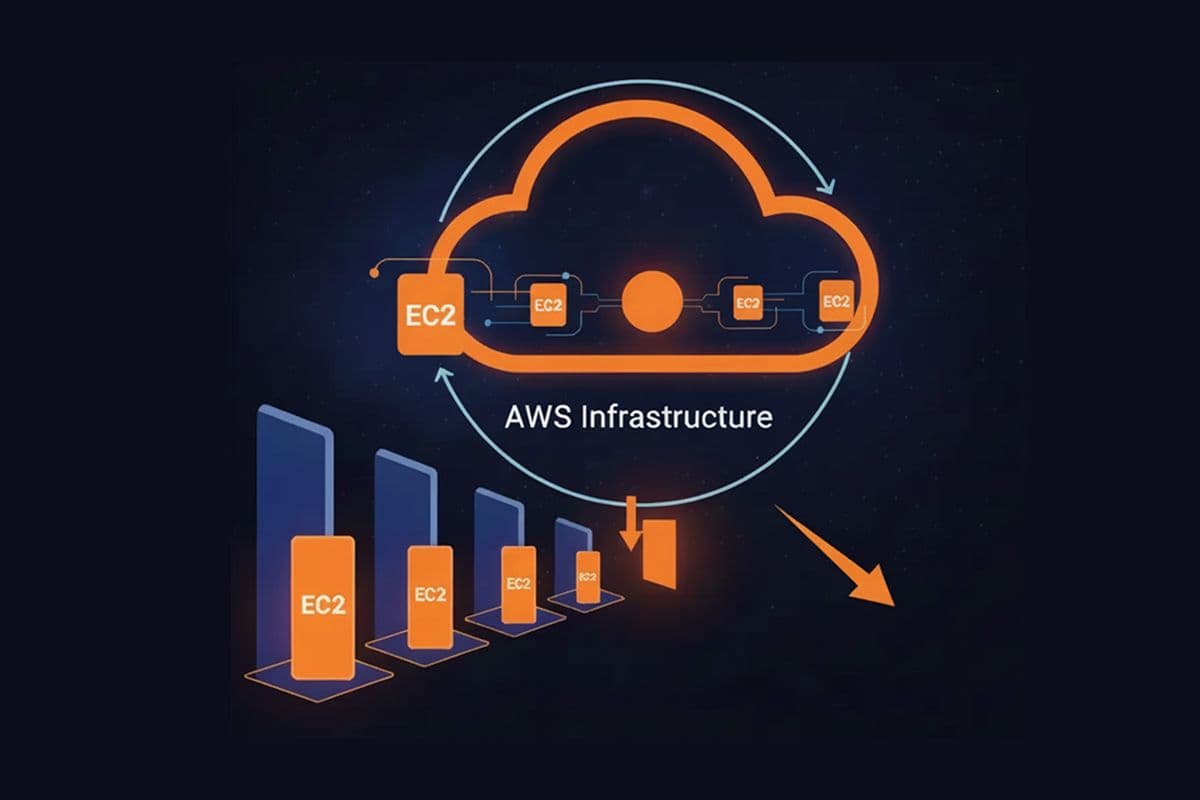
1. Right-Sizing Your EC2 Instances
One of the most impactful yet underutilized optimization strategies is right-sizing. Many organizations run oversized instances "just in case," leading to wasted resources. Right-sizing involves matching instance types and sizes to actual workload requirements.
Right-Sizing Strategy
- Analyze Current Usage - Use CloudWatch metrics to monitor CPU, memory, disk, and network utilization over at least two weeks. Look for patterns and identify consistently underutilized resources.
- Identify Candidates - Instances with less than 40% average CPU utilization are prime candidates for downsizing. Use AWS Compute Optimizer for automated recommendations.
- Consider Modern Instance Types - Newer generation instances (like M6i vs M5) often provide better performance per dollar. Graviton-based instances (M6g, C6g) can offer 20-40% better price performance.
- Test Before Committing - Use dev/staging environments to validate that smaller instances meet performance requirements before changing production.
- Implement Gradually - Right-size one application or workload at a time, monitoring performance closely before moving to the next.
Right-sizing isn't a one-time activity. Workload patterns change over time, so schedule quarterly reviews to ensure your instances remain appropriately sized. Automate this process where possible using AWS tools or third-party solutions.
Common Right-Sizing Mistakes to Avoid
- Downsizing without considering peak loads and burst requirements
- Ignoring memory metrics when CPU utilization is low
- Forgetting to account for seasonal or cyclical traffic patterns
- Not testing performance impact before production changes
2. Leveraging Reserved Instances and Savings Plans
For workloads with predictable usage patterns, Reserved Instances (RIs) and Savings Plans offer substantial discounts compared to on-demand pricing. These commitment-based pricing models can reduce costs by 30-70% for resources you know you'll need long-term.
Understanding Your Options
- Standard Reserved Instances - Offer the highest discount (up to 72%) but require committing to specific instance types in specific regions. Best for stable, unchanging workloads.
- Convertible Reserved Instances - Provide flexibility to change instance families with slightly lower discounts (up to 54%). Ideal when you anticipate architectural changes.
- EC2 Instance Savings Plans - Commit to a specific dollar amount per hour and get discounts (up to 72%) that apply across instance families and regions. Offers the best flexibility.
- Compute Savings Plans - Most flexible option covering EC2, Fargate, and Lambda with discounts up to 66%. Perfect for diverse workloads.
The key to maximizing savings is finding the right balance between commitment and flexibility. Analyze your usage patterns over 6-12 months to identify stable baseline usage that's safe to commit to. Use on-demand or Spot instances for variable portions of your workload.
Best Practices for Reserved Capacity
- Start conservatively with 1-year terms before committing to 3-year terms
- Cover 70-80% of baseline usage with RIs or Savings Plans, not 100%
- Use AWS Cost Explorer RI/SP recommendations as a starting point
- Set up alerts for upcoming RI expirations to avoid reverting to on-demand pricing
- Consider buying RIs in the RI marketplace for short-term needs
3. Harnessing Spot Instances for Cost Savings
Spot Instances allow you to use spare AWS EC2 capacity at discounts of up to 90% compared to on-demand prices. While Spot instances can be interrupted with two minutes' notice, they're perfect for fault-tolerant and flexible workloads.
Ideal Workloads for Spot Instances
- Batch Processing - Data processing jobs that can be paused and resumed without data loss work perfectly with Spot instances.
- CI/CD Pipelines - Build and test environments can gracefully handle interruptions by simply restarting jobs.
- Big Data Analytics - Hadoop, Spark, and other distributed systems are designed to handle node failures.
- Containerized Workloads - Kubernetes with spot instances can automatically reschedule pods when nodes are interrupted.
- Stateless Web Services - Behind load balancers, spot instances can serve traffic with proper health checks and auto-scaling.
Implement Spot instances strategically by using Spot Fleet or EC2 Auto Scaling with mixed instance types. This diversification reduces the likelihood of all your instances being reclaimed simultaneously. Always implement graceful shutdown handlers to save work in progress when receiving interruption notices.
Spot Instance Best Practices
- Use multiple instance types and availability zones for better availability
- Implement proper interruption handling with the 2-minute warning
- Use Spot placement scores to choose optimal instance types
- Set price limits to control maximum costs
- Monitor Spot instance frequency interruption rates

4. Storage Optimization Strategies
Storage costs can accumulate rapidly, especially when data is stored inefficiently across different storage tiers. AWS offers multiple storage classes optimized for different access patterns, and choosing the right one can dramatically reduce costs.
S3 Storage Class Optimization
- S3 Standard - For frequently accessed data. Use for active content and data accessed multiple times per month.
- S3 Intelligent-Tiering - Automatically moves data between access tiers based on usage patterns. Perfect when access patterns are unpredictable.
- S3 Standard-IA - For infrequently accessed data that needs immediate access when required. Can save 40% compared to Standard.
- S3 Glacier - For archival data with retrieval times from minutes to hours. Costs up to 80% less than Standard.
- S3 Glacier Deep Archive - For long-term archival with 12+ hour retrieval. The most cost-effective option at up to 95% savings.
Implement S3 Lifecycle policies to automatically transition objects between storage classes based on age and access patterns. This "set it and forget it" approach ensures optimal storage costs without manual intervention.
EBS Volume Optimization
- Delete Unattached Volumes - Identify and remove EBS volumes that aren't attached to any instances. These continue to accrue charges unnecessarily.
- Snapshot Management - Delete old snapshots and implement retention policies. Use AWS Backup for centralized snapshot management.
- Right-Size Volumes - Provision volumes based on actual usage, not projected maximums. You can always resize volumes later if needed.
- Use GP3 Instead of GP2 - GP3 volumes offer 20% lower cost with the same baseline performance as GP2.
Cost Optimization Strategies Overview
| S.No | Strategy | Potential Savings | Implementation | ||||
|---|---|---|---|---|---|---|---|
| 1 | Right-sizing Instances | 20-40% | Low | Right-sizing Instances Savings: 20-40% Difficulty: Low | |||
| 2 | Reserved Instances | 30-70% | Medium | Reserved Instances Savings: 30-70% Difficulty: Medium | |||
| 3 | Spot Instances | 50-90% | Medium-High | Spot Instances Savings: 50-90% Difficulty: Medium-High | |||
| 4 | S3 Storage Optimization | 40-80% | Low | S3 Storage Optimization Savings: 40-80% Difficulty: Low | |||
| 5 | Auto Scaling | 30-50% | Medium | Auto Scaling Savings: 30-50% Difficulty: Medium | |||
5. Implementing Auto Scaling for Dynamic Workloads
Auto Scaling ensures you have the right number of resources to handle your application's load without over-provisioning. By automatically adjusting capacity based on demand, you only pay for what you need when you need it.
Auto Scaling Best Practices
- Target Tracking Policies - Use target tracking to maintain average CPU utilization around 70%. This provides headroom for spikes while avoiding waste.
- Scheduled Scaling - For predictable patterns, use scheduled scaling to add capacity before demand increases and reduce it during quiet periods.
- Scale-in Protection - Protect critical instances from being terminated during scale-in events to ensure graceful shutdowns.
- Multiple Metrics - Consider using custom CloudWatch metrics like request count or queue depth for more accurate scaling decisions.
- Cool-down Periods - Configure appropriate cool-down periods to prevent thrashing and ensure stable scaling behavior.
Combine Auto Scaling with other optimization strategies like Spot instances and Reserved Instances for maximum savings. Use RIs to cover your baseline capacity and let Auto Scaling handle peaks with a mix of on-demand and Spot instances.
6. Database Cost Optimization
Database costs can be substantial, but several strategies can help optimize spending without compromising performance or availability.
RDS Optimization Techniques
- Use Aurora Serverless v2 - For variable workloads, Aurora Serverless automatically scales capacity and you only pay for what you use.
- Stop Dev/Test Databases - Automatically stop RDS instances during non-business hours using Lambda functions or AWS Instance Scheduler.
- Optimize Storage - Enable storage auto scaling and use GP3 volumes instead of GP2 for better price performance.
- Read Replicas - Use read replicas judiciously. Each replica incurs full instance costs, so ensure they're necessary for performance.
- Reserved Instances - For production databases with consistent usage, RDS RIs can save up to 60% compared to on-demand pricing.
DynamoDB Optimization
- Use on-demand pricing for unpredictable workloads
- Switch to provisioned capacity with auto-scaling for steady workloads
- Enable DynamoDB table classes (Standard-IA) for infrequently accessed data
- Implement TTL to automatically delete expired items
7. Network and Data Transfer Optimization
Data transfer costs are often overlooked but can add up quickly, especially for data-intensive applications. Understanding and optimizing data transfer patterns can lead to significant savings.
Data Transfer Cost Reduction
- Keep Data in the Same Region - Data transfer within the same region is free or minimal. Architect applications to minimize cross-region transfers.
- Use CloudFront CDN - CloudFront data transfer is often cheaper than direct S3 transfer, plus it improves performance.
- VPC Endpoints - Use VPC endpoints for S3 and DynamoDB to avoid NAT Gateway data transfer charges.
- Compress Data - Enable compression for API responses and use compressed file formats to reduce transfer volumes.
- Direct Connect for Large Volumes - For consistent large data transfers, AWS Direct Connect can be more cost-effective than internet transfers.
8. Monitoring and Governance
Effective cost optimization requires ongoing monitoring and governance. Implement these practices to maintain control over AWS spending.
Essential Governance Practices
- Cost Allocation Tags - Implement comprehensive tagging strategy to track costs by project, environment, and team.
- AWS Budgets - Set up budgets with alerts to prevent surprise bills. Use actual cost and forecasted cost budgets.
- Cost Anomaly Detection - Enable AWS Cost Anomaly Detection to identify unusual spending patterns automatically.
- Regular Cost Reviews - Schedule monthly cost review meetings to analyze spending trends and identify optimization opportunities.
- AWS Organizations - Use consolidated billing and Service Control Policies to manage costs across multiple accounts.
- Third-Party Tools - Consider tools like CloudHealth, CloudCheckr, or Spot.io for advanced cost optimization recommendations.
9. Serverless Cost Optimization
Serverless services like Lambda, API Gateway, and Step Functions follow different pricing models. Optimizing these services requires understanding their unique cost structures.
Lambda Optimization Tips
- Right-Size Memory - Lambda allocates CPU proportional to memory. Test different memory configurations to find the sweet spot for cost and performance.
- Minimize Cold Starts - Keep functions warm for latency-sensitive applications, but be aware of the cost trade-off.
- Use Graviton2 Processors - ARM-based Lambda functions offer up to 34% better price performance.
- Optimize Code - Faster execution means lower costs. Profile and optimize your Lambda functions.
- Consider Compute Savings Plans - Savings Plans apply to Lambda, providing discounts for consistent usage.
10. Creating a Cost-Conscious Culture
Technical strategies are important, but sustainable cost optimization requires building a culture where everyone considers costs in their decisions.
Building Cost Awareness
- Make Costs Visible - Create dashboards showing team or project costs. Transparency drives accountability.
- Include Cost in Architecture Reviews - Make cost analysis a standard part of design decisions, not an afterthought.
- Educate Teams - Provide training on AWS pricing models and cost optimization techniques.
- Incentivize Optimization - Consider recognizing teams that achieve cost savings without sacrificing performance.
- Automate Cost Optimization - Build automation to implement best practices like stopping unused instances and cleaning up resources.
Conclusion: Continuous Optimization is Key
AWS cost optimization isn't a one-time project but an ongoing practice. The strategies outlined in this guide can help you achieve 30-60% cost reductions without sacrificing performance or reliability. Start with quick wins like right-sizing and deleting unused resources, then implement longer-term strategies like Reserved Instances and architectural improvements.
Remember that optimization is about maximizing value, not just minimizing costs. The goal is to spend efficiently on resources that drive business outcomes while eliminating waste. Regular reviews, strong governance, and a cost-conscious culture will help maintain optimized costs over time.
Start your optimization journey today by analyzing your current spending with AWS Cost Explorer, identifying your biggest cost drivers, and implementing the strategies that will have the most impact for your specific workloads. Your cloud bill—and your CFO—will thank you.
Similar Blogs

What is an AI Agent and How to Build One
Understand AI agent architecture, learn how autonomous systems make decisions, and follow practical steps to build intelligent agents using LLM frameworks.
Top 5 Frameworks for Building AI agents
Review the top 5 AI agent frameworks: LangChain, CrewAI, AutoGPT, Semantic Kernel, and LlamaIndex. Compare features, strengths, and ideal use cases.
Cost Optimization Strategies for AWS
Cut AWS cloud costs with proven optimization strategies: EC2 right-sizing, Reserved & Spot Instances, S3 storage management, auto-scaling, and Savings Plans.